Orinj version 9.0.0
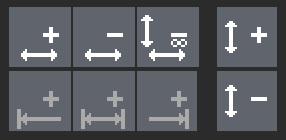
Use the zoom toolbar to zoom in and out in your session, wave file, or MIDI file. The buttons of the toolbar are as follows:
 - zoom in horizontally (along the time line)
 - zoom out horizontally (along the time line)
 - zoom in to left end of selection (along the time line)
 - zoom into a selection (along the time line)
 - zoom in to right end of selection (along the time line)
Some buttons may be disabled at certain times. For example, the buttons for zooming into a selection will be disabled if there is no selection.
Add new comment