Orinj version 9.0.0
The instrument control panel in the Orinj MIDI view lists the available MIDI instruments. The following is the instrument control panel.
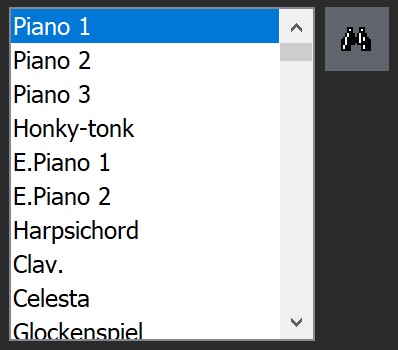
The instruments listed in the panel are those included in the SoundFont (SF2) file loaded in Orinj.
- To load a new SF2 file when you create a new MIDI file, click on the Load button, browse to an SF2 file, and open it.
- Orinj remembers the SF2 file used to create a MIDI file. If you open a MIDI file created with Orinj, Orinj will load the corresponding SF2 file.
The instruments in the SF2 file are listed in the order in which they appear in the SF2 file. Use the Find button ( ) to the right of the list of instruments to search for instruments by name.
The instrument that is selected in this panel is the instrument that will be used both to play sound when pressing keys on the piano roll and for notes added to the MIDI file.
Choose an instrument before adding notes. When adding notes, the instrument will be assigned to one of the 16 MIDI channels (see Orinj MIDI channel control panel).
Add new comment