Orinj version 9.0.0
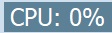
The CPU usage status bar is at the very bottom of Orinj. It shows the ratio of the time it takes the computer to get sound data and process it to the time length of the same sound data. This is the strain on the computer when processing sound data.
This number becomes larger the longer it takes to process sound data before playback. If the number is over 100%, then it takes longer to process the sound data than to play it and playback will skip.
As you add waves, MIDI files, effects, and automations to your session, this number will increase. If you pre-mix some of your session tracks, this number will decrease.
Add new comment