Orinj version 9.0.0
A generator creates a wave file with specific properties. The Orinj Square Wave generator, for example, creates a square wave.
Generators in the Orinj installation
Orinj offers the following generators.
Fifth saw wave
Noise
Pulse wave
Saw wave
Sine sweep
Sine wave
Square wave
Triangle wave
Creating waves with the Orinj generators
Click on Generate wave view menu and then click on one of the menus under Generate. You will see a dialog for the corresponding generator. The following example is the dialog for the Orinj Square Wave.
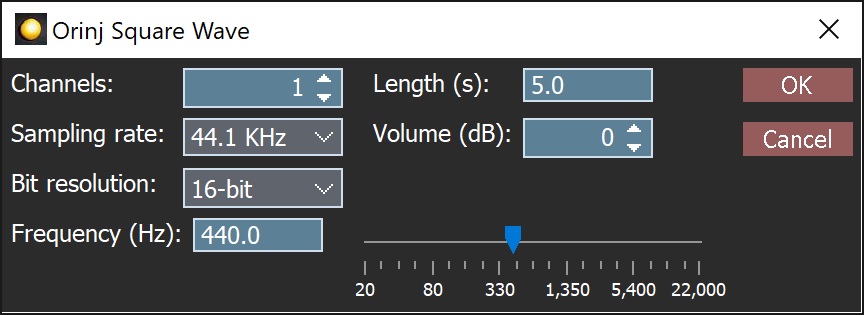
Click on OK to generate the wave. The wave fill be opened in the Orinj wave view. You can then use the wave for any purpose.
Common generator controls
The following controls are the same for all generators.
- Channels: This is the number of audio channels in the wave to be generated. The wave can have either one channel (mono) or two channels (stereo).
- Sampling rate: This is the sampling rate of the wave to be generated.
- Bit resolution: This is the sampling resolution of the wave to be generated. Audio data in waves is PCM data and can contain 8-bit unsigned integers, 16-bit signed integers, 24-bit signed integers, or 32-bit signed floats between -1 and 1.
- Length: This is the length of the wave to be generated in seconds. The maximum length of waves is 600 seconds.
- Volume: This is an additional gain to be applied to the audio in the generated wave. The additional gain is in decibels and can be between -40 dB and 40 dB.
The Orinj generator framework
Orinj generators use a programming framework that allows Orinj to operate with or without the generators and allows new generators to be developed and added to Orinj without modifying Orinj itself. Developers can prepare their own Orinj packages with generators. All generators can be installed or updated separately, without modifying Orinj or its installation.
Add new comment